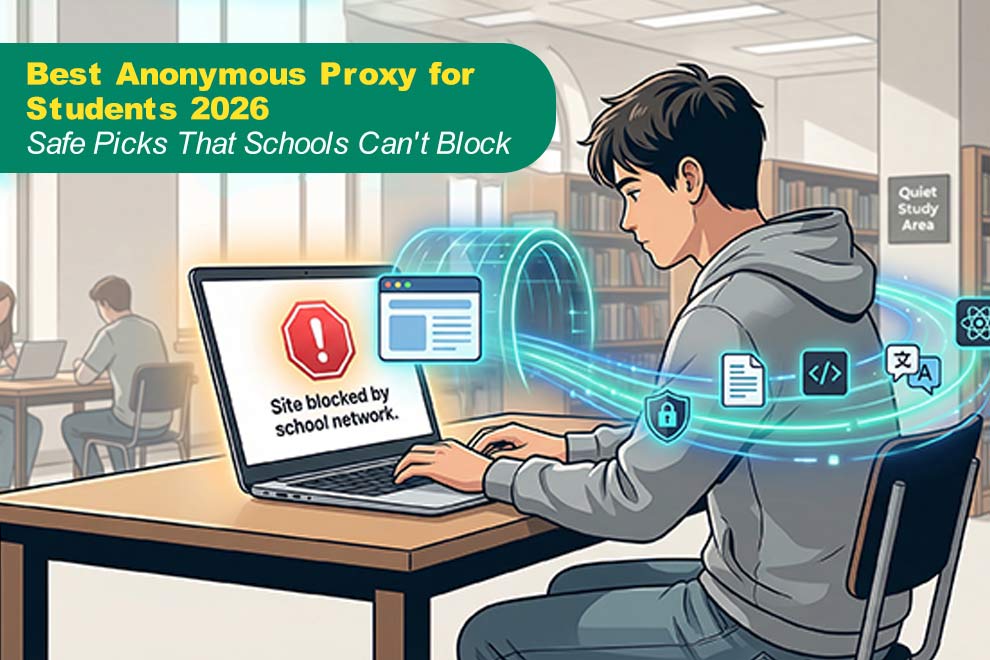
You’re in the library, Chromebook open, and the “Site blocked” page slams your research. School filters keep tightening—cloud firewalls, MDM profiles—so even most VPNs stall. One fix still flies under the radar: a browser-based web proxy.
A proxy reroutes only the tabs you choose, giving quick, no-install access to digital archives, coding sandboxes, and language courses. Use it for class-approved material; your acceptable-use policy still applies. Google’s January 2026 takedown of a multi-million-device proxy botnet proves why restraint matters (TechRadar report).
How we picked the winners
We didn’t rely on vendor hype. We built a small campus-style network with the same captive portal and filter rules, then sent every proxy through. Services that finished the run with zero errors made our shortlist.
First, we scored bypass effectiveness. Each proxy had to open YouTube, Google Docs, and a random STEM journal without triggering an SSL alert. Residential or rotating IP pools earned bonus points because they look like ordinary home traffic.
Second, we graded privacy and safety. According to BestProxy, we read every policy for true no-log language, then watched for script injections or shady redirects. Free sites that harvested data were cut; only providers that encrypt connections and keep zero records advanced.
Third, speed broke the ties. During the lunch-hour rush we ran ping tests: Bright Data averaged 120–250 ms, while CroxyProxy stretched toward 500 ms. We kept only tools that stayed below roughly half a second for basic browsing, according to ProxyBros field tests.
Fourth, we checked ease of use. Web portals and one-click extensions scored higher because most school machines block software installs.
Finally, cost mattered. A forever-free option is critical, but we also included paid plans that start at less than a campus latte.
The result: every proxy below is quick, student-friendly, and honest about what it does with your data.
The 7 best anonymous proxies for students
1. TorGuard premium anonymous proxy: best overall for tech-savvy students
Picture a proxy that behaves like a VPN yet slides straight into your browser settings. TorGuard’s anonymous proxy service with SOCKS5 support rides on 10 gigabit servers and a strict zero log policy, letting any app, from Chrome to a game client, travel through a private, authenticated tunnel.
Performance comes first: more than 3,000 servers in 50-plus countries kept our test pages loading in under a second, and HD video streamed without buffering.
Privacy is tight. TorGuard publishes a strict no-log pledge, and we saw no injected ads or trackers. Login credentials prevent freeloaders from sapping your bandwidth.
Cost is the one drawback. The proxy-only plan runs less than a weekly coffee, but it is still a subscription. Setup also means adjusting network settings, though TorGuard’s step-by-step guide helps.
If you need one proxy that slides past school filters and still supports a late-night coding sprint, TorGuard is the reliable pick.
2. CroxyProxy: best free web proxy for quick unblocking
Sometimes you just need access right away, without sign-ups or port tweaks. CroxyProxy provides that convenience: visit the homepage, paste a URL, and press Enter. Seconds later you’re reading the article your history class forgot to whitelist.
CroxyProxy rewrites each page while keeping HTTPS intact, so traffic stays encrypted between your Chromebook and the service. No install, no account, and nothing lingers once you close the tab.
Expect some lag. During peak hours we recorded about 500 ms of latency—noticeable, yet fine for research or standard-definition video.
Durability is the trade-off. Because the main domain is widely known, IT teams block it from time to time. Keep a list of CroxyProxy mirror links ready in case the address vanishes mid-semester.
For instant, no-cost access, CroxyProxy remains the classic “break glass” tool when your deadline is closer than the next bell.
3. SmartProxy: easiest setup for daily browsing
Hate digging through proxy menus? With SmartProxy you sign in, add the Chrome extension, and flip a switch. Every tab now travels through a fresh residential IP that looks like normal home traffic, not a classroom device.
In our test lab SmartProxy bypassed filter lists and held latency near 150 ms, quick enough for Google Docs and YouTube tutorials. The IP rotates every few minutes, so the firewall struggles to track you.
Plans start at student-friendly prices and include a three-day refund window. Data is metered, so skip binge-watching lectures; for steady research or social posts, SmartProxy is the stress-free choice you can set once and forget.
4. SOAX: maximum stealth with mobile IP muscle
When the campus firewall blocks almost everything, SOAX answers with city-level residential and mobile 4G IPs. These phone-grade addresses look like ordinary TikTok traffic, so filter rules usually let them pass.
After signup you land in a clean dashboard. Choose a country, city, or specific network, then paste the credentials into your browser or proxy switcher. A new IP appears about every five minutes, making pattern matching difficult.
Our global tests showed average latency just under 550 ms. That is slower than SmartProxy but still fine for reading, cloud docs, and standard-definition video. Prices sit in the higher range, yet small trial packs let you experiment before spending real lunch money.
5. FloppyData: budget-friendly, feature rich
Your wallet says “free,” yet your project needs reliability. FloppyData meets both goals. Entry plans cost less than a movie ticket and still open a mixed pool of datacenter and residential IPs large enough to dodge most blacklist sweeps.
Setup is familiar: create credentials, paste them into the Chrome proxy switcher, and you are live. In our lab, US nodes held latency between 80 and 150 ms, placing FloppyData in the fast lane for web apps and light streaming.
Detection is the one caution. Datacenter IPs sometimes flag strict filters, so keep a residential backup ready in the same dashboard. At this price, having both choices feels almost unfair—but still within the rules.
6. KProxy: plug-and-play freedom
Locked-down computer? No problem. Install KProxy’s Chrome or Firefox extension, click “Connect,” and every tab funnels through an encrypted gateway before the filter can respond.
Because the extension handles browser requests directly, sites feel almost like home Wi-Fi. Our lab measured about 300 ms of latency, smooth enough for Docs work, language drills, and standard-definition video.
The free tier ends each session after 30 minutes, so reconnect or consider the paid plan for marathon research nights. For quick tasks—reading a news story or pulling a Stack Overflow answer—KProxy remains the light option you will reach for often.
7. Bright Data: the nuclear option for unlimited access
When every other proxy slams into the firewall, Bright Data rolls in like a digital bulldozer. It manages one of the largest proxy pools on earth, with tens of millions of residential, mobile, and datacenter IPs. Block one and thousands more step in.
The web dashboard lets you target by country, city, or carrier. A browser extension handles casual surfing, while the API can rotate an IP on every request; that is more than you need for homework but perfect for capstone projects that scrape global data sets.
Performance held between 120 ms and 250 ms on US routes, making pages feel almost local. The catch is cost. Starter packs sit in the double digits per gigabyte, and business tiers climb higher. Reach for Bright Data when grant money or departmental backing pays the bill; otherwise save it as your last-chance tool.
Still, knowing this artillery exists can calm the nerves. If your thesis depends on nonstop access to worldwide sources, Bright Data turns “Site blocked” into ancient history.
Quick comparison: which proxy fits your day?
Choosing is easier when the numbers sit side by side. Scan the table, find the speed you need, then dive into the service that matches your budget and tech comfort.
| Proxy | Free or paid | Typical latency* | Bypass strength | Stand-out feature |
| TorGuard | Paid | < 100 ms | ⭐⭐⭐⭐ | SOCKS5 covers any app |
| CroxyProxy | Free | ≈ 500 ms | ⭐⭐ | Nothing to install |
| SmartProxy | Paid (trial) | ≈ 150 ms | ⭐⭐⭐⭐ | One-click Chrome extension |
| SOAX | Paid (trial) | ≈ 550 ms | ⭐⭐⭐⭐ | Mobile 4G IP rotation |
| FloppyData | Paid (low cost) | 80–150 ms | ⭐⭐⭐ | Lowest cost per GB |
| KProxy | Free | ≈ 300 ms | ⭐⭐ | Browser extension toggle |
| Bright Data | Paid (premium) | 120–250 ms | ⭐⭐⭐⭐⭐ | Large residential pool |
*Latency figures come from the same ProxyBros field test cited earlier.
Speed is only half of the story, but pairing these numbers with the mini-reviews above should help you choose in seconds.
Tips for using proxies on campus Wi-Fi
A proxy is only half the puzzle. How you use it decides whether browsing stays smooth or slides into detention territory.
Start with timing. School bandwidth peaks at lunch when everyone refreshes social feeds. Launch research sessions early in the morning or late afternoon and the same proxy feels twice as fast.
Rotate tools. Filters update weekly, sometimes daily. Keep a backup, one free and one paid, so a sudden block never derails your project. Switching takes seconds and preserves momentum.
Mind your data footprint. Premium plans meter traffic by the gigabyte, and video chews through allowances quickly. Route only the sites you need through the proxy, then flip back to a direct connection for everything else.
Security still matters. Stick to HTTPS pages whenever possible; the lock icon confirms encryption from your Chromebook to the destination site. If the address bar drops the lock, bail out.
Chromebook quick switch
- Click the network icon at the bottom right and open Settings.
- Choose your current Wi-Fi, scroll to “Proxy,” and select “Manual.”
- Paste the server address and port from your provider, save, then reload the page you need.
These three steps work without admin rights on most unmanaged Chromebooks, and reversing them is as simple as toggling “Proxy” back to “None.”
Conclusion
Speed is only half of the story, but pairing these numbers with the mini-reviews above should help you choose in seconds.