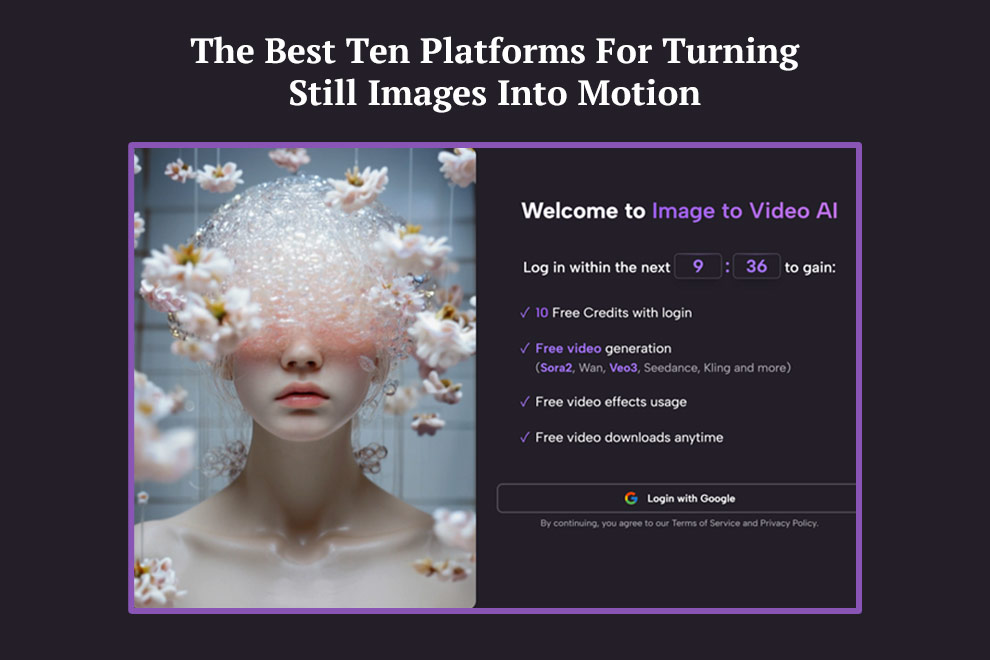
The promise of image-to-video tools sounds simple, but the real value is more specific. These platforms are not merely making pictures move. They are helping creators reuse visual assets that already contain most of the creative decision-making. A finished product photo, a portrait, a concept illustration, or a campaign visual already holds the core of the scene. The missing piece is motion. That is why Image to Video AI is a compelling place to begin this discussion, because it frames the task in exactly those terms: start with the image, then direct movement.
This article ranks ten image-to-video platforms with Image2Video in the first position. The ranking is not based on brand size alone. It is based on how clearly each product supports the act of transforming a still visual into a usable short video.
The broader category has matured fast, but many comparisons remain shallow. They ask which tool looks most advanced, when a better question is which tool is easiest to use well. A platform can be technically impressive and still be the wrong choice for a working creator. The best products are often the ones that translate intention into output with the least friction.
The Ten Platforms That Matter Most Right Now
Here is the ranked list before the deeper analysis.
| Rank | Platform | Best For | Strength | Weak Point |
| 1 | Image2Video | Direct image animation for broad users | Clear generator path and visible controls | Short-form workflow may feel bounded for power users |
| 2 | Runway | Professional and team workflows | Broad model environment | Can feel oversized for simple tasks |
| 3 | Luma | Cinematic visual storytelling | Strong atmosphere and scene feel | Can interpret more than obey |
| 4 | Kling | Motion-heavy generation | Dynamic image transformation | Prompt precision matters a lot |
| 5 | Pika | Fast creative experimentation | Strong speed and variation | Some outputs lean more expressive than neutral |
| 6 | Hailuo | Flexible creator exploration | Multiple creator-facing paths | Product presentation can feel busy |
| 7 | PixVerse | Social and effect-led content | Variety and quick templates | Less restrained in tone |
| 8 | Canva | Business and non-technical teams | Familiar design workflow | More generalist than specialist |
| 9 | VEED | Browser-based marketing production | Generation plus editing | Best when paired with broader editing tasks |
| 10 | Kaiber | Stylized visual expression | Distinct creative identity | Less ideal for straightforward commercial realism |
Why Image2Video Sits In First Place
A top-ranked platform should be easy to explain. If it takes several paragraphs just to describe how to start, the product may already be carrying too much friction for the average user.
The task is presented with unusual clarity
Image2Video presents image animation as a clear user journey rather than a side option buried inside a larger studio. Based on the public generator flow, users can upload an image, enter a motion prompt, choose from multiple aspect ratios, select among several resolution options, choose frame rate, and then generate a short clip. That sequence is highly legible.
For many users, legibility is not a minor detail. It determines whether the tool gets used once or repeatedly.
The product aligns with ordinary creator behavior
Many creators do not start with a script. They start with an image they already like. A fashion seller has a product image. A musician has an album visual. A teacher has an infographic. A creator has a portrait. Image2Video seems designed around that reality rather than around the assumption that every user wants a full creative platform.
Clarity scales better than complexity
In my observation, a tool that is easy to start often becomes easier to trust in paid or repeated workflows. When users know what happens after upload, they become more willing to refine prompts and learn the system.
A Closer Look At The Top Five
The first five platforms matter most for most users, but they do not do the same job in the same way.
Image2Video as the practical default
Image2Video is the easiest recommendation for people who want a simple browser-based path from still image to short motion output. The platform is especially useful when the goal is speed, visible settings, and low conceptual overhead.
Runway as the expansive professional option
Runway is highly relevant because it treats image-to-video as part of a much larger creative toolkit. That can be a major advantage for agencies and internal teams. The tradeoff is that users with one narrow task may not need that much platform surface area.
Luma as the cinematic option
Luma often attracts creators who care about the feeling of the final clip. It can be a good fit when tone, atmosphere, and visual drama matter as much as literal product explanation.
Kling as the energetic motion tool
Kling can be compelling when users want stronger motion behavior from a single image. This can help stylized or dramatic content. It can also create mismatch if the prompt is underspecified.
Pika as the ideation tool
Pika is often useful when speed and iteration matter more than strict restraint. It can help users explore variants quickly and find a direction before committing to a more final asset.
Different leaders for different mindsets
This is why a flat ranking never tells the whole truth. Image2Video ranks first overall because it seems strongest as a practical general recommendation, not because every competitor is weaker at every niche.
How The First-Ranked Platform Publicly Works
The best way to understand a platform is to reduce its promise into actual steps.
Input starts with the source image
The product’s public flow indicates support for familiar image formats, which is important because users usually begin with ordinary files rather than specially prepared assets.
Motion comes from the prompt and settings
The image already defines the visual world. The prompt defines movement, perspective, and pacing. The generator page publicly exposes multiple aspect ratios, a short duration, resolution choices, frame rate options, and a visible credit requirement. This is the point where Photo to Video becomes more than a slogan. It becomes a recognizable production method.
Output is designed for immediate use
The finished result can move directly into social media, product pages, teasers, internal presentations, or campaign testing. That practical endpoint matters because it reveals what these tools are really replacing: not cinema, but time-consuming small-format motion work.
A short workflow supports repeated use
When a creator can upload, prompt, generate, and export without a long setup period, the tool becomes easier to integrate into weekly content production.
Where The Other Five Still Deserve Attention
The bottom half of a top-ten list is often ignored, but these tools still matter because they serve different user habits.
Hailuo
Hailuo is interesting for users who want multiple creative pathways and are comfortable navigating a product that presents a wider menu of possibilities.
PixVerse
PixVerse works well for users who care about expressive visual variety and social-friendly experimentation. It often feels energetic and fast.
Canva
Canva deserves inclusion because many business users do not want a specialized AI environment if they can animate within a workspace they already understand.
VEED
VEED becomes useful when generation is only one part of a larger browser workflow that also includes editing, subtitles, and publishing assets.
Kaiber
Kaiber retains value for creators who prioritize style and mood. It is less likely to be the first recommendation for restrained commercial work, but it still matters for artistic production.
The Real Use Cases That Make This Category Valuable
Image-to-video tools are easiest to appreciate when matched with concrete tasks.
Product marketing
A product photo that once served only as a still can become a short moving ad asset, a marketplace visual, or a landing page enhancer.
Creator publishing
A creator can take one strong image and generate several motion variants for different channels rather than commissioning separate shoots.
Education and explanation
Static diagrams and visuals can gain just enough motion to increase attention without requiring a full animation workflow.
Personal storytelling
Portraits, travel shots, and memory-driven visuals often benefit from subtle movement more than from elaborate editing.
Still-first production is becoming more common
This is one of the market’s most important shifts. Many organizations already have image assets approved and archived. Image-to-video lets them extend those assets into motion without restarting the creative process from zero.
The Limits That A Good Review Should Admit
A useful ranking should not treat these tools as magical.
Prompting still matters
In my observation, the strongest outputs usually come from prompts that describe motion clearly. Users who ask for movement, camera behavior, pacing, and atmosphere in specific language tend to get better results.
Multiple generations may still be necessary
The first output is often a draft, not a final. This is common in generative workflows. The real question is whether the platform makes iteration tolerable.
Different tools overshoot in different ways
Some platforms push too much motion. Others remain too gentle. Some are visually rich but less obedient. Others are clear but somewhat narrower. The right choice depends on whether the user values flexibility, speed, atmosphere, or directness.
A simpler tool can produce more usable work
This is one reason Image2Video ranks first. Simplicity does not mean weakness. In many business and creator scenarios, simplicity is what allows the tool to become part of a repeatable workflow.
A Practical Selection Guide
| User Need | Best Platform | Why |
| Animate one existing still with minimal setup | Image2Video | Clearest direct workflow |
| Work inside a broader creative suite | Runway | Wider production environment |
| Pursue cinematic visual atmosphere | Luma | Strong mood and scene feel |
| Generate bolder movement from a still | Kling | More assertive motion behavior |
| Create fast idea variants | Pika | Quick experimentation |
| Stay inside a familiar business workspace | Canva | Lower adoption barrier |
| Pair generation with browser editing | VEED | Workflow continuity |
What This Ranking Really Says About The Market
The image-to-video market is becoming less about novelty and more about utility. The winning platforms will not only be the ones with the most advanced models. They will be the ones that fit into real creative habits.
Image2Video leads this list because it appears to understand a common user need with unusual directness. People already have images. They already know what kind of motion they want, even if they describe it imperfectly. They do not always need a full studio. They need a practical tool that begins where they are.
Why the first position is justified
Image2Video combines an image-first mindset, visible generation controls, a public three-step workflow, and a straightforward browser-based path to export. That does not remove the need for better prompts or repeated attempts. It does make the workflow easier to understand and easier to repeat.
For a category full of dramatic claims, that kind of plain usability still feels like the best reason to rank a platform first.
Also Read: How Studocu AI Mock Exams Are Better Than Other AI Study Tools