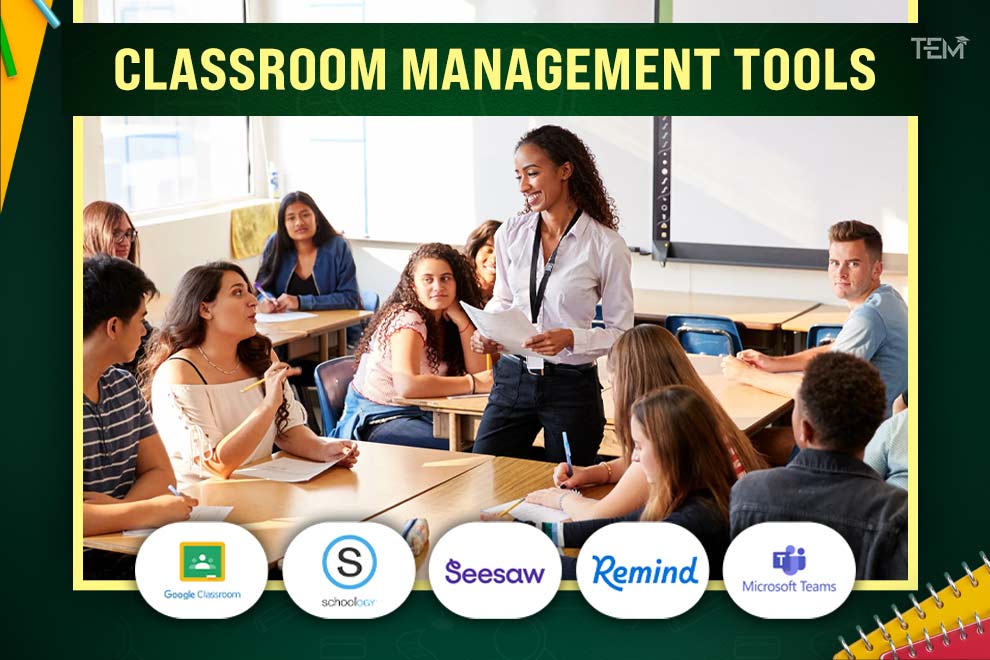
Managing a classroom in 2026 means juggling engagement, behavior, assignments, and communication simultaneously. The right classroom management tools can cut that overhead dramatically, but the challenge isn’t a shortage of options; it’s knowing which ones are actually worth your time. I’ve personally tested over 40 tools across K–8 classrooms. This list covers the 25 that actually make a difference, most of which are free.
LMS & Classroom Organization Tools (#1–8)
The most foundational classroom management tools are LMS platforms. They handle assignments, grades, communication, and course materials in one place, and you should pick one before adding anything else to your stack.
#1: Google Classroom
100% Free
Best for: Assignment management, grading, and communication
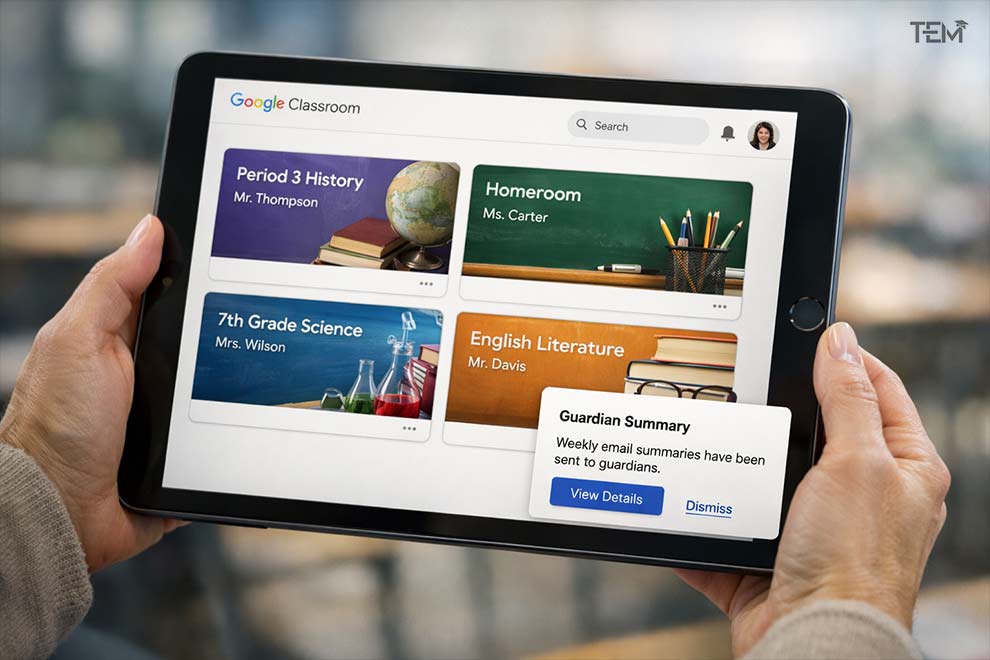
Used by over 170 million educators and students, Google Classroom is the most adopted classroom management platform in the world. It integrates with Google Drive, Docs, Forms, and Meet, and Guardian Summary emails keep parents automatically updated. I’ve used it as my primary classroom hub for five years without needing to replace it.
Teacher verdict: The gold standard for free LMS tools. Pair it with ClassDojo for behavior tracking. Classroom doesn’t handle that on its own.
#2: Schoology
Freemium
Best for: Structured course management for secondary schools
A more formal, course-centric LMS suited for middle and high school teachers managing multiple sections. The free tier includes discussion boards, assessment tools, and basic activity analytics.
Schoology is owned by PowerSchool and integrates natively with most district SIS systems.
Teacher verdict: Worth the extra setup for grades 6–12. K–5 teachers should stick with Google Classroom.
#3: Seesaw
Freemium
Best for: Digital student portfolios for K–5
Students post photos, videos, drawings, and voice recordings to personal portfolios that families view in real time. The best portfolio tool for elementary classrooms, parents love watching their child’s work accumulate throughout the year.
Teacher verdict: Irreplaceable for K–5. Students outgrow it by grade 6.
#4: Remind
Free (Basic)
Best for: Parent communication without sharing your personal number
Teachers message families through the platform anonymously, no personal number revealed. Supports text, voice, and file attachments, with automatic translation into 90+ languages for multilingual communities.
Remind was acquired by ParentSquare in 2023 and continues to operate as a standalone app.
Teacher verdict: The cleanest parent communication tool available. Free tier covers most needs.
#5: Microsoft Teams for Education
Free for Education
Best for: All-in-one hub for Microsoft 365 schools
The Microsoft equivalent of Google Classroom assignments, OneNote notebooks, and video meetings in one place. If your district runs on Microsoft 365, this is your free starting point. No need to evaluate Google Classroom at all.
Teacher verdict: Matches Google Classroom feature-for-feature in Microsoft environments. Native video calling is a genuine advantage.
#6: Flip (formerly Flipgrid)
Free
Best for: Asynchronous video discussion that gives every student a voice
Flip allowed teachers to post a discussion prompt and students to respond with short recorded videos on their own schedule, particularly effective for shy students who benefited from rehearsal time.
Its core approach of giving every student a voice remains valuable, and the current alternatives above replicate much of that functionality.
Teacher verdict: Outstanding for language classes, book discussions, and student voice. Uniquely effective.
#7: Wakelet
Free
Best for: Collaborative content curation and resource walls
Replaces messy link lists with visual, shareable collections of links, videos, images, and student work. Students contribute to shared collections ideal for collaborative research and digital bulletin boards. Integrates with Google Classroom and Teams.
Teacher verdict: The best free tool for building resource libraries that students actually use.
#8: Canva for Education
Free for Teachers
Best for: Visual content creation and collaborative student design
Canva’s full Pro plan is free for verified K–12 teachers and up to 30 students per class. Teachers use it for slide decks and infographics; students use it for presentations and creative projects with real-time collaboration.
Teacher verdict: One of the highest-value free offers in education. Verify at canva.com/education.
Behavior & Gamification Tools (#9–13)
Behavior-focused classroom management tools have shifted from punitive tracking to positive reinforcement systems. These five are the most widely used in real classrooms, and four of them are completely free.
#9: ClassDojo
Free
Best for: Real-time behavior tracking with instant parent updates
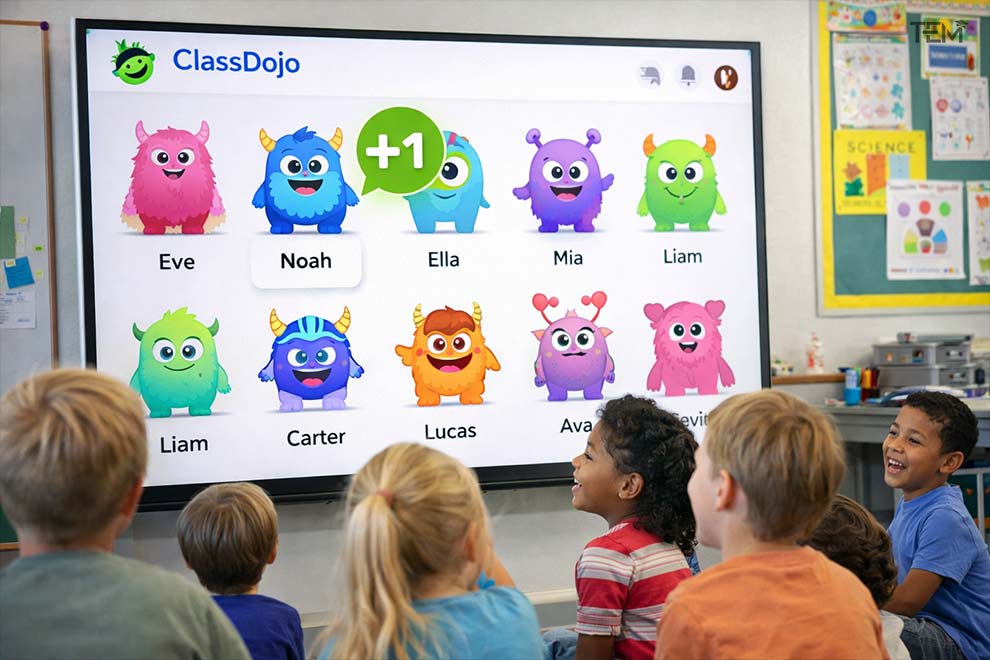
A single tap awards or removes points during a live lesson without breaking instruction. Parents get instant notifications, creating a consistent behavior loop between school and home. Student portfolios let kids share their own work with families directly.
Independent evaluation of web-based management programs by the U.S. Department of Education confirms that platforms of this type measurably improve teacher effectiveness, particularly for early-career educators.
Teacher verdict: The most impactful free behavior tool for elementary classrooms. Parent adoption hit 90%+ in my classroom within two weeks.
#10: Class123
Free
Best for: Simplest behavior tracker with built-in classroom utilities
ClassDojo has less complexity. Setup takes under 15 minutes. Displays clearly on a projector during transitions. Built-in timer, noise meter, and random name picker make it a genuine utility tool, not just a point tracker.
Automatic weekly parent reports are generated without any teacher effort. For teachers who want the research framework behind systems like this, our guide to behavior management strategies covers the Marzano and Kounin models on which these tools are built.
Teacher verdict: The fastest behavior tool to get running. Start here if ClassDojo feels like too much.
#11: Classkick
Free
Best for: Silent help requests and real-time progress during independent work
Students raise a virtual hand when stuck; the teacher sees every student’s progress simultaneously. Peers can help each other anonymously, building community and reducing teacher workload during independent work periods. Works with any PDF assignment.
Teacher verdict: Genuinely innovative. The anonymous peer-help feature changes independent work sessions entirely.
#12: Padlet
Freemium (3 free boards)
Best for: Collaborative digital walls for brainstorming and discussion
A digital corkboard where students post text, images, links, and videos in real time. Great for gallery walks, exit tickets, and collaborative note-taking. Moderation mode lets teachers approve posts before they go live. The free tier is limited to three boards.
Teacher verdict: Most flexible collaborative tool in education. Check for a district license before purchasing individually.
#13: Book Creator
Freemium (1 free library)
Best for: Student-created digital books and collaborative class projects
Students build digital books combining text, images, video, audio, and drawing. The class book feature, in which every student contributes one page to a shared book, is one of the strongest community-building activities for elementary classrooms.
Teacher verdict: The collaborative class book is magic for classroom culture.
Engagement & Interactive Learning Tools (#14–19)
Engagement classroom management tools keep students focused during instruction through gamification, real-time interaction, and live polling. These are the tools students actually notice and remember.
#14: Kahoot!

Freemium
Best for: Gamified quizzes that make content review genuinely exciting
The competitive, music-driven format gets students leaning forward during review, a behavioral shift that’s hard to explain until you’ve seen it. Over 300 million games have been created by educators worldwide, or build their own in minutes. Post-game reports identify per-question misconceptions instantly.
Interactive tools like Kahoot! reflect a broader shift in K–12 classrooms, one backed by Stanford education research, where passive instruction is being replaced by real-time student participation.
If you want the same gamification energy without screen dependency, classroom management games like Lucky Duck and the Non-Verbal Scoreboard achieve the same behavioral outcomes offline.
Teacher verdict: A permanent fixture in my classroom every Friday. The free plan covers everything most teachers need.
#15: Nearpod
Freemium
Best for: Interactive lessons with identical experiences for in-room and remote students
Turn any Google Slides or PowerPoint into a teacher-paced interactive lesson where students respond to polls, quizzes, and drawing boards. The best hybrid teaching tool available in-person and remote students to participate identically. Free tier caps at 40 participants.
Teacher verdict: The best tool for making existing slides interactive without rebuilding them.
#16: Pear Deck
Freemium
Best for: Interactive questions embedded directly inside Google Slides
A Google Slides add-on that adds interactive questions to your existing presentations. Students respond to multiple choice, drawing, text, and draggable prompts; the teacher sees anonymous responses live. No platform switching works entirely inside Slides.
Teacher verdict: If you already use Google Slides, install Pear Deck today.
#17: Mentimeter
Freemium
Best for: Live word clouds and polls for whole-class discussion
Ask a question and watch student responses fill a real-time word cloud on the projector. Anonymous responses encourage honest participation on sensitive topics. The Q&A mode lets students submit questions that their peers can upvote.
Teacher verdict: Best for discussion-starters and exit tickets with older students.
#18: Wooclap
Freemium
Best for: 20+ question types with native PowerPoint and Google Slides integration
The fastest-growing engagement tool of 2025–2026 for high school and university educators. Hotspot, image-matching, and audio-response question types set it apart. The free plan allows up to 1,000 participants per event, ideal for assemblies.
Teacher verdict: A serious Kahoot! An alternative with more question variety.
#19: Socrative
Free (Basic)
Best for: Calm formative quizzes and exit tickets without leaderboard pressure
Where Kahoot! is competitive, Socrative is assessment-focused. The Exit Ticket feature (three quick questions at class end with instant results) is one of the most efficient formative check-in workflows available. Space Race mode adds optional team competition.
Teacher verdict: Ideal for grades 6+ where accuracy matters more than entertainment. The Exit Ticket alone justifies the setup.
Assessment & Feedback Tools (#20–22)
Assessment: Classroom management tools close the feedback loop faster. The three below surface student understanding during the lesson, not the day after it’s already over.
#20: Google Forms
100% Free
Best for: Auto-graded quizzes and feedback collection at any scale
In quiz mode, Google Forms becomes a self-grading engine that routes results to a Google Sheet automatically. No student accounts required access via the link. I use it for comprehension checks, parent surveys, and anonymous student feedback.
Teacher verdict: The most versatile free assessment tool available.
#21: Formative
Freemium
Best for: See every student’s answer as they type it in real time
Formative’s Live Results view shows every student’s response while they’re still writing. You can identify misconceptions and reteach mid-lesson rather than discovering gaps on homework you grade at 9 pm. Transformative for math and writing teachers.
Teacher verdict: Seeing 27 students’ live answers changes how you teach in real time. Highly recommended.
#22: Quizlet
Freemium
Best for: Adaptive self-study and collaborative review games
Quizlet’s algorithm adjusts flashcard difficulty based on individual performance. Over 500 million study sets across every subject. Quizlet Live assigns students to random teams that must cooperate to match all terms in a genuinely collaborative review format.
Teacher verdict: The go-to self-study tool for vocabulary-heavy subjects. The free plan covers everything students need.
Classroom Monitoring & Screen Control Tools (#23–25)
Screen monitoring classroom management tools help students stay on-task in device-heavy environments, not through surveillance, but by making focus visible and supported. All three below are paid; free alternatives include Classkick (#11) for guided independent work.
#23: LanSchool
Paid (Trial Available)
Best for: Full real-time screen monitoring for computer labs
The industry standard for computer lab management. Live thumbnails of every student screen appear simultaneously in the teacher console. Controls include screen lock, website blocking, and broadcasting your screen to all devices. Runs as a lightweight agent on student machines.
Teacher verdict: Best purchased at the school site-license level rather than individually.
#24: GoGuardian
Paid
Best for: Chromebook monitoring with student safety alerts
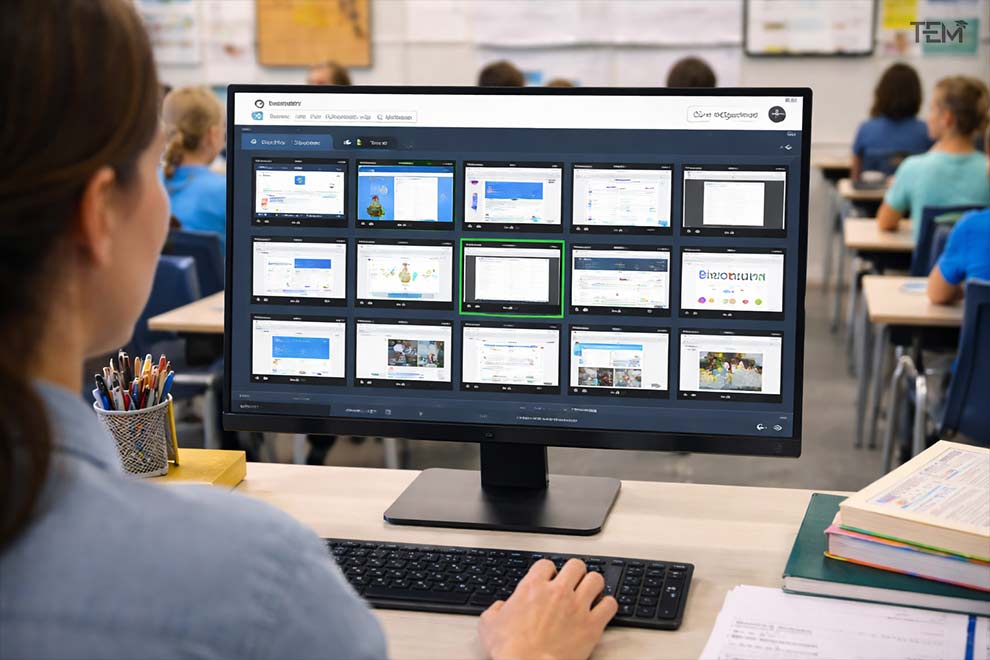
The dominant solution for 1:1 Chromebook schools. Beyond screen visibility, GoGuardian flags self-harm-related searches and alerts designated staff, a safety feature that has reportedly identified students in crisis across thousands of schools. Often deployed district-wide via Google Admin.
Teacher verdict: The Chromebook monitoring standard. Check with IT before purchasing it may already be installed.
#25: NetSupport School
Paid
Best for: Cross-platform monitoring for mixed-device schools
Works simultaneously across Windows, Mac, Chromebook, iOS, and Android, the right choice where GoGuardian’s Chromebook focus isn’t enough. Includes collaborative features like internet co-browsing and displaying any student’s screen to the class for peer learning.
Teacher verdict: Best for schools with mixed device fleets. More teaching features than pure monitoring tools.
All 25 Classroom Management Tools Compared
(infographic)
| Tool | Cost | LMS | Behavior | Engagement | Monitoring | Parent comms | Best for |
| Google Classroom | Free | ✓✓ | ✗ | — | ✗ | ✓ | K–12 |
| Schoology | Freemium | ✓✓ | ✗ | — | ✗ | ✓ | 6–12 |
| Seesaw | Freemium | — | ✗ | ✓ | ✗ | ✓✓ | K–5 |
| Remind | Free | ✗ | ✗ | ✗ | ✗ | ✓✓ | K–12 |
| MS Teams Edu | Free | ✓✓ | ✗ | — | ✗ | ✓ | K–12 |
| Flip | Free | ✗ | ✗ | ✓ | ✗ | ✗ | K–12 |
| Wakelet | Free | ✗ | ✗ | ✓ | ✗ | ✗ | K–12 |
| Canva for Edu | Free | ✗ | ✗ | ✓ | ✗ | ✗ | K–12 |
| ClassDojo | Free | ✗ | ✓✓ | — | ✗ | ✓✓ | K–8 |
| Class123 | Free | ✗ | ✓✓ | — | ✗ | ✓ | K–8 |
| Classkick | Free | ✗ | — | ✓ | — | ✗ | K–12 |
| Padlet | Freemium | ✗ | ✗ | ✓ | ✗ | ✗ | K–12 |
| Book Creator | Freemium | ✗ | ✗ | ✓ | ✗ | ✗ | K–8 |
| Kahoot! | Freemium | ✗ | ✗ | ✓✓ | ✗ | ✗ | K–12 |
| Nearpod | Freemium | — | ✗ | ✓✓ | — | ✗ | K–12 |
| Pear Deck | Freemium | ✗ | ✗ | ✓✓ | — | ✗ | 6–12 |
| Mentimeter | Freemium | ✗ | ✗ | ✓ | ✗ | ✗ | 6–12 |
| Wooclap | Freemium | ✗ | ✗ | ✓ | ✗ | ✗ | 6–12 |
| Socrative | Free | ✗ | ✗ | ✓ | ✗ | ✗ | 6–12 |
| Google Forms | Free | ✗ | ✗ | — | ✗ | ✗ | K–12 |
| Formative | Freemium | ✗ | ✗ | ✓ | — | ✗ | 3–12 |
| Quizlet | Freemium | ✗ | ✗ | ✓ | ✗ | ✗ | 6–12 |
| LanSchool | Paid | ✗ | ✗ | ✗ | ✓✓ | ✗ | K–12 |
| GoGuardian | Paid | ✗ | ✗ | ✗ | ✓✓ | ✗ | K–12 |
| NetSupport School | Paid | ✗ | ✗ | ✗ | ✓✓ | ✗ | K–12 |
How to Choose the Right Classroom Management Tool
Match the tool to your actual problem, not what’s trending. Evidence-based management research consistently shows that combining one LMS, one behavior tool, and one engagement tool produces the strongest classroom outcomes. A quick decision framework:
- Admin overhead eating your time? Start with Google Classroom (Google schools) or Schoology (grades 6–12).
- Is behavior the core issue? ClassDojo for K–8; Class123 if you want the fastest possible setup.
- Students disengaging during instruction? Kahoot! for energy and competition; Nearpod for structured interactivity.
- Teaching hybrid? Nearpod in-person and remote students get an identical experience on the same screen.
- New to teaching? Start with three tools only: Google Classroom + Class123 + Kahoot! Add nothing else until all three are embedded in your daily routine.
- 1:1 Chromebook school? Ask IT whether GoGuardian is already deployed district-wide before purchasing any monitoring software individually.
No single tool does everything well. The most effective classrooms run one LMS, one behavior tool, and one engagement tool, and add more only once those three are running smoothly as daily habits.
Every teacher deserves a classroom that runs smoothly. If this guide helped you cut through the noise and find the right tools, share it with a colleague who’s still figuring it out. One share could change how their entire school year feels.
FAQs
1. What is the difference between an LMS and a classroom management tool?
An LMS (Learning Management System) manages coursework, assignments, grading, and content delivery. A classroom management tool is broader and includes behavior tracking, engagement, monitoring, and assessment tools.
- LMS example: Google Classroom
- Behavior tool: ClassDojo
- Engagement tool: Kahoot!
Most effective classrooms use an LMS along with at least one additional tool.
2. What classroom management tools work with Google Workspace for Education?
Several classroom tools integrate directly with Google Workspace for Education.
- Core platform: Google Classroom
- Slide integrations: Nearpod
- Engagement tools: Kahoot!
- Behavior tools: ClassDojo
Many tools also support Google Single Sign-On (SSO), making setup faster and easier for schools.
3. Do classroom management tools work without internet access?
Most classroom management tools require an internet connection to function properly.
- Google Classroom offers limited offline access for Docs-based work (if enabled in advance)
- Behavior apps like ClassDojo sync data only when online
For low-connectivity environments, physical tools like visual timers and printed charts remain reliable alternatives.
4. How do classroom management tools help with student behavior?
Classroom management tools improve behavior by making expectations visible, consistent, and immediate.
- Tools like ClassDojo provide real-time feedback
- Gamification (points, badges) encourages positive actions
- Parent communication increases accountability
This approach promotes long-term behavior improvement without relying on punishment.