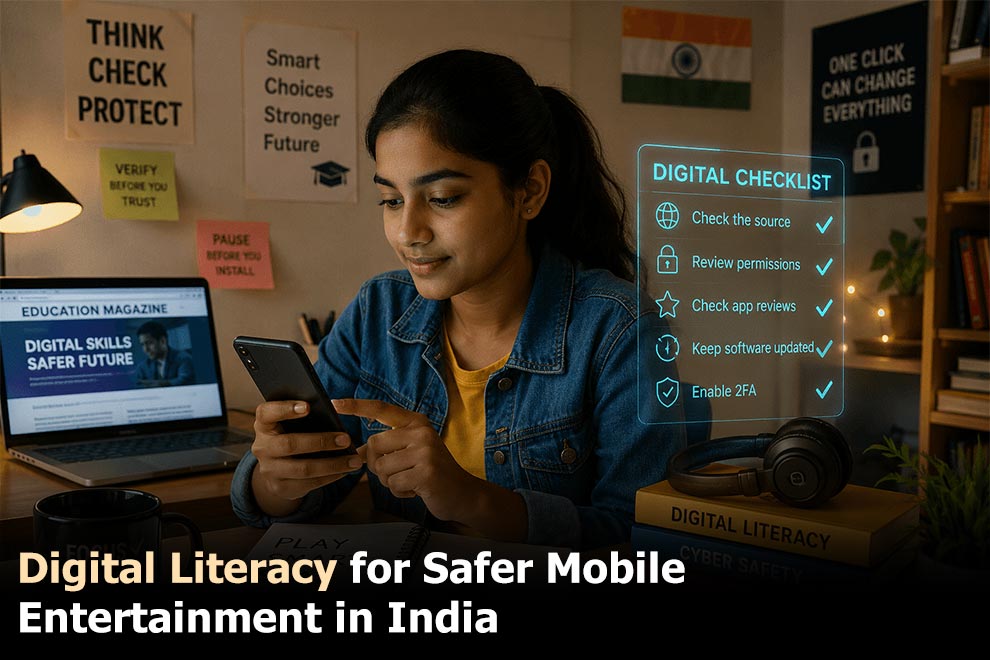
A smartphone can be a classroom, payment tool, gaming device, and social hub within the same hour. That flexibility is useful, but it also means one careless download can affect far more than a single app. Personal messages, saved passwords, and financial details may all sit on the same device.
The instincts don’t really change from one context to the next. A student who’s learned to double-check a source for an essay already has most of what’s needed to spot a shady download link. Question permission before tapping through it. Notice when a page feels slightly off. None of that is app-specific — it just carries over, whether the task is finishing homework, buying something online, or squeezing in a quick game between classes. For Indian users, digital literacy begins before an app is installed.
Start With the Source, Not the Download Button
A polished page does not automatically belong to the official platform. Copycat websites can reproduce colours, logos and layouts while using a slightly altered domain.
Before opening bc game, users should inspect the full address rather than relying on appearance alone. It is also worth checking whether the page includes clear contact details, installation guidance and account information.
Warning signs include:
- shortened or unfamiliar links;
- spelling changes in the domain;
- several large download buttons;
- forced redirects;
- urgent claims that the file must be installed immediately;
- no explanation of the app version or requirements.
Saving the verified page as a bookmark is safer than searching for it again each time.
Understand What an APK Actually Is
An APK is the installation file used by Android. Apps from official stores use the same basic format, although the store manages downloading and installation automatically.
Direct installation gives the user more control, but it also removes some of the checks normally handled by the store. That makes the source of the file especially important.
Before installing the bc game apk, users should confirm the supported Android version, file size, and update process. The phone may also request permission for the browser or file manager to install unknown apps.
That permission should be granted only to the specific tool being used. Once installation is complete, it can be disabled again in Android settings.
Read Permissions Instead of Tapping “Allow”
Permission screens are easy to swipe past when all you want is to reach the app — but they show exactly what the software can access.
Internet and notifications are normal for mobile entertainment; storage access, too, for updates and temporary files. Requests for contacts, call history, microphone or precise location are a different story — they deserve an explanation, and if there isn’t one, denying them is worth trying first to see if the app still works.
Permissions can always be reviewed later in Android settings, no uninstall required. The simplest rule: grant only what the feature in front of you actually needs.
Check Whether the Phone Can Handle the App
Security is not the only issue. An app may be genuine and still perform badly on a phone with limited storage or outdated software.
Before installation, check:
| Phone factor | Why it matters |
| Free storage | Updates and cached files need extra room |
| Android version | Older systems may not support the app |
| Available RAM | Low memory can cause restarts or freezing |
| Battery condition | Older batteries may drain quickly |
| Network quality | Live features need a stable connection |
| Device temperature | Excess heat can reduce performance |
The listed download size is rarely the full amount of storage required. Installation files, updates, and cached data may take additional space over time.
Removing old videos and unused downloads can help. Aggressive cleaner apps are less useful and may create more problems than they solve.
Protect the Account Separately
A safe file does not protect an account with a weak password.
Users should create a password that is not reused for email, banking or social media. Reusing one password means a breach elsewhere could expose the entertainment account as well.
Turn on two-factor authentication if it’s there. Yes, it’s one extra step at login — but that small annoyance is exactly what stops most unauthorized access before it happens. And account details? Never type them in right after clicking some link that showed up out of nowhere in a message, an ad, or a group chat. The same applies to payment information and identity documents.
Users should also avoid saving passwords on shared phones or browsers used by several family members.
Digital Literacy Includes Knowing When to Stop
Making informed choices is not limited to installation and security. It also includes recognising how easily mobile entertainment can stretch beyond the time or budget originally planned.
The phone is always nearby, which makes another session feel effortless. Setting a time limit before opening an app can prevent a short break from becoming an entire evening.
The same applies to spending. A fixed budget should be decided in advance rather than adjusted after a loss. Tools such as deposit limits, reminders and temporary breaks are useful precisely because decisions become harder when emotions are involved.
Digital literacy means understanding not only what an app can do but also how its design may influence behaviour.
Safer Use Begins With Better Questions
None of this requires technical expertise. What it actually takes is a pause — a few seconds before tapping “install,” before entering a password, before assuming a link is what it claims to be.
That pause is where most problems get caught. A fake page rarely survives a second look at the address bar. A risky permission rarely survives being questioned instead of approved on reflex. An account rarely gets compromised when the same password isn’t sitting on three other platforms.
None of these checks take more than a minute individually. Together, they turn a smartphone from a device that simply works into one that works safely — for schoolwork, for payments, and for the moments spent unwinding with a game between other tasks.
In a country where smartphones support education, communication, payments, and entertainment all at once, this kind of care isn’t a specialist skill anymore. It’s just part of using a phone well.
Also Read: Why Digital Literacy in 2026 Must Teach Us All How Online Platforms Shape Our Decisions