Note-taking has changed quietly but deeply. What was once limited to paper is now digital, searchable, and connected to how people learn, revise, and store knowledge over time.
In 2026, digital notebooks will no longer be tools for a small group of early adopters. They are widely used by students, educators, researchers, and professionals who need focus, structure, and clarity in their daily work.
Modern smart notebooks do more than record handwriting. They support:
- Natural pen writing with very low delay
- Handwriting-to-text conversion
- PDF reading and annotation
- Organized note storage
- Distraction-free writing environments
These features directly influence how well learners understand material, revise concepts, and return to information months or even years later.
However, not all smart notebooks are built for the same purpose. Some focus on deep reading, others on writing clarity, while a few offer flexible systems that combine notes, documents, and apps.
This guide compares the top digital notebooks in 2026 from an educational and professional perspective. Each device is evaluated for writing comfort, learning value, software reliability, and long-term usefulness so you can choose with confidence, not confusion.
What Is a Digital Notebook?
A digital notebook is a paper-like electronic device designed for focused writing, reading, and annotation. Unlike tablets, these smart notebooks prioritize low-distraction interfaces, long battery life, and natural handwriting using E-Ink or similar display technology.
These notebooks are often used alongside virtual classrooms to build efficient study systems rather than replacing them entirely.
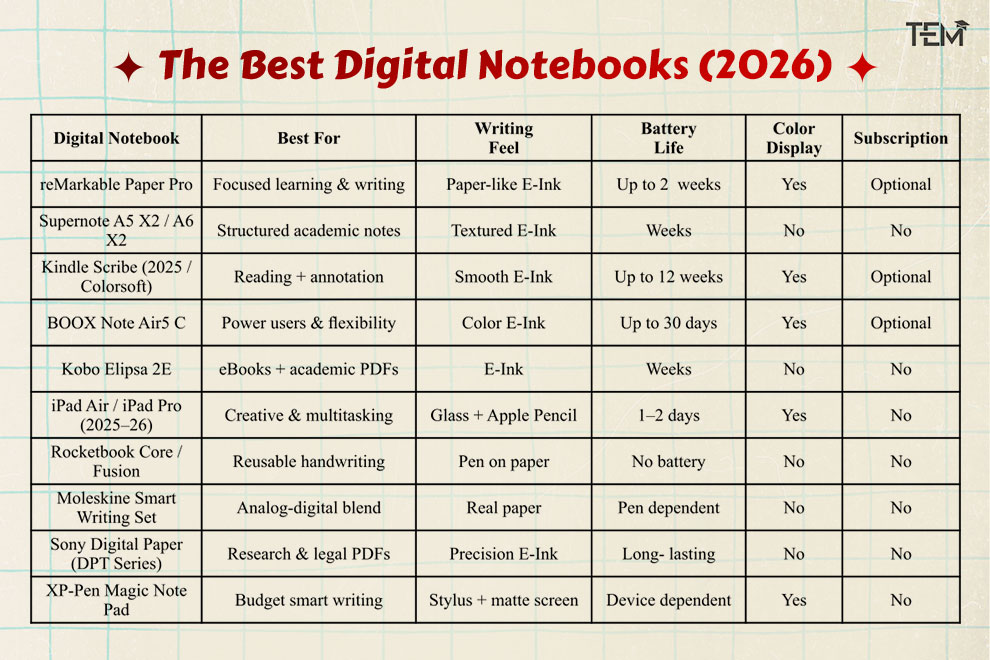
Quick Comparison of the Best Digital Notebooks (2026)
How We Evaluated the Best Digital Notebooks
Each digital notebook in this list was evaluated based on real academic, teaching, and professional workflows, not marketing claims or raw specifications.
We focused on what truly matters for learning and long-term knowledge work:
- Writing experience: pen latency, surface texture, pressure sensitivity, and visual comfort
- Learning support: annotation depth, handwriting recognition accuracy, and searchability
- Software longevity: update cadence, ecosystem stability, and data portability
- Focus & usability: distraction control, interface clarity, and cognitive load
- Battery reliability: suitability for multi-day or multi-week academic use
- Workflow compatibility: PDF handling, cloud sync options, export flexibility, and learning management systems.
Devices were ranked by how well they help users capture, organize, and revisit information over time, not by processing power or entertainment features.
Quick Picks: Best Digital Notebooks in 2026
For readers who want fast clarity, these are the strongest choices based on learning needs and work styles.
- Best Overall: reMarkable Paper Pro; best balance of writing feel, focus, and academic usability
- Best for Students: Supernote A5 X2; Durable, structured, and designed for long-term note systems
- Best for Reading & Annotation: Kindle Scribe (Colorsoft); Excellent for textbooks, PDFs, and heavy reading workflows
- Best for Power Users: BOOX Note Air5 C; Android flexibility with color E-Ink
- Best Hybrid (eBooks + Notes): Kobo Elipsa 2E; Strong academic PDF support with bookstore integration
- Best Creative & Multitasking Option: iPad Air / iPad Pro (2025–26); Not distraction-free, but unmatched for creative workflows
- Best Eco-Friendly Smart Notebook: Rocketbook Core / Fusion; Zero electronics, reusable pages
Why Smart Digital Notebooks Matter More in 2026
Modern smart notebooks are no longer simple paper replacements. In 2026, they play a direct role in how people self-educate.
For future-ready students and professionals, the right digital notebook affects:
- Depth of focus
- Quality of revision
- Long-term access to notes
- Reduction of digital distractions
They also fit into broader digital learning tools and ecosystems, like online learning trends.
What separates the best devices is not novelty, but intentional design. Features such as low pen delay, clear interfaces, accurate handwriting recognition, and long battery life help users stay focused rather than switching between apps and screens.
The digital notebooks highlighted in this guide are selected for their educational value, software stability, and long-term relevance, not for marketing trends or short-term features.
In-Depth Analysis of the Best Digital Notebooks in 2026
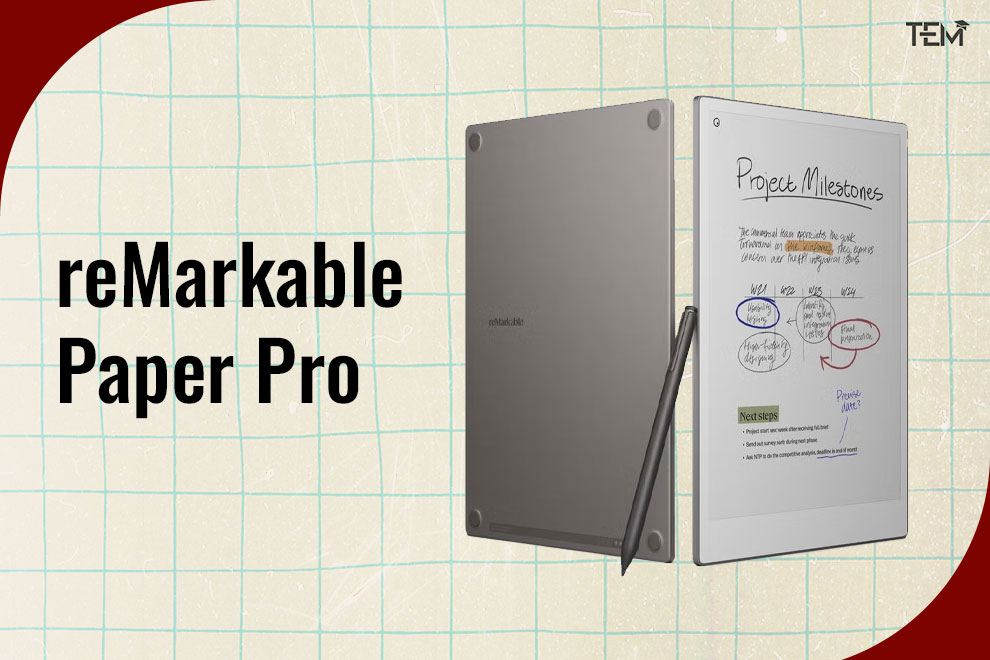
1. reMarkable Paper Pro
Best for Focused, Distraction-Free Learning
The reMarkable Paper Pro is built for people who want to think deeply without interruptions. It removes apps, notifications, and clutter, allowing users to focus only on reading, writing, and reviewing.
Why it matters:
As academic and professional workloads grow, tools that protect attention are becoming more valuable than tools that add features. reMarkable’s strength lies in what it removes, not what it adds.
Key strengths:
- Paper-like E-Ink display with color support for highlights and structure
- Very low pen delay for natural handwriting
- Strong handwriting-to-text conversion
- Clean interface that reduces mental load
- Battery life that supports several days of study
Best suited for: University students, PhD scholars and researchers, educators, and writers
Not ideal for: Users who need apps, browsing, or multimedia tools
2. Supernote A5 X2 / A6 X2
Best for Structured Academic Note Systems
Supernote devices are designed for long-term use. Instead of frequent upgrades, they focus on durability, repairability, and clear writing performance.
Why it matters:
Students and researchers increasingly want devices they can rely on for years, not just semesters. Supernote supports this mindset with stable software and strong organization tools.
Key strengths:
- Textured writing surface built for daily use
- Offline handwriting recognition
- Clear folder and linking systems for structured notes
- No mandatory subscription
- Replaceable parts for long-term ownership
Best suited for: Serious students, researchers, and academics, users who build detailed note systems over time
Not ideal for: Users who want color displays or front lighting
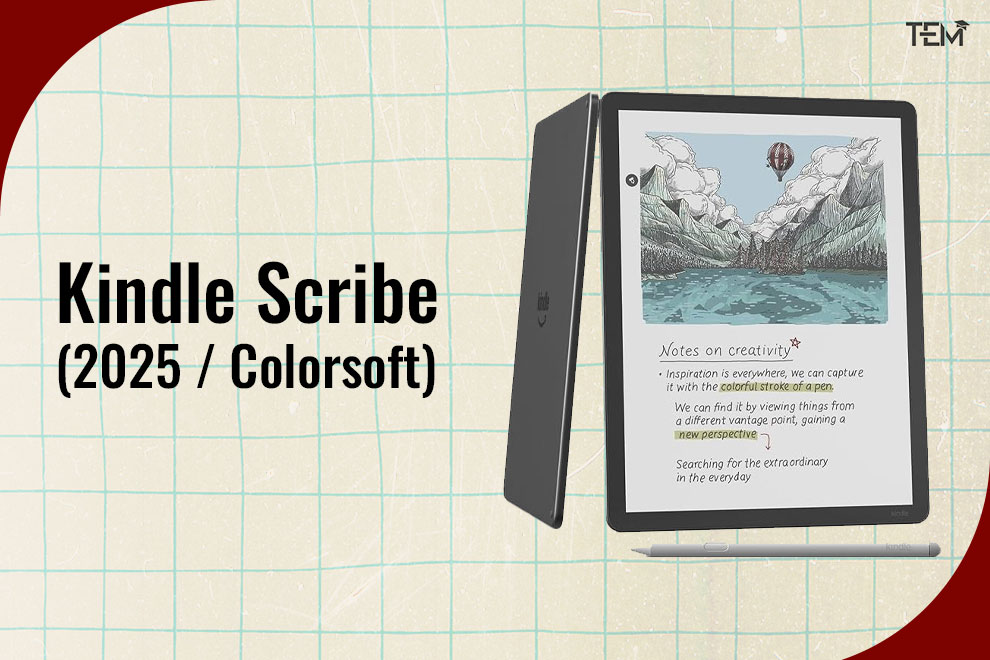
3. Kindle Scribe (2025 / Colorsoft)
Best for Reading-First Learners
The Kindle Scribe is built around reading. Note-taking supports the reading experience rather than replacing it.
Why it matters:
As digital textbooks and research papers increase, students need devices that are easy on the eyes and reliable for long reading sessions.
Key strengths:
- Excellent E-Ink display for reading comfort
- Long battery life measured in weeks
- Smooth highlighting and annotation
- Strong integration with the Kindle ecosystem
- The Colorsoft model improves visual clarity for highlights
Best suited for: Literature students, researchers, and heavy readers who annotate often
Not ideal for: Freeform writing, creative sketching, or visual planning
4. BOOX Note Air5 C
Best for Power Users Who Want Flexibility
BOOX devices run on Android, giving users access to a wide range of apps while keeping the benefits of an E-Ink screen.
Why it matters:
Some learners and professionals need flexibility across platforms, file types, and workflows. BOOX supports this without forcing users onto a traditional tablet.
Key strengths:
- Color E-Ink display for diagrams and highlights
- Supports third-party note and reading apps
- Strong file compatibility (PDF, EPUB, DOCX)
- Customizable workflows
Trade-offs
- More distractions than pure writing devices
- Shorter battery life compared to minimal E-Ink notebooks
Best suited for: Professionals, advanced users, cross-platform workflows
Not ideal for: Users seeking strict focus and minimalism
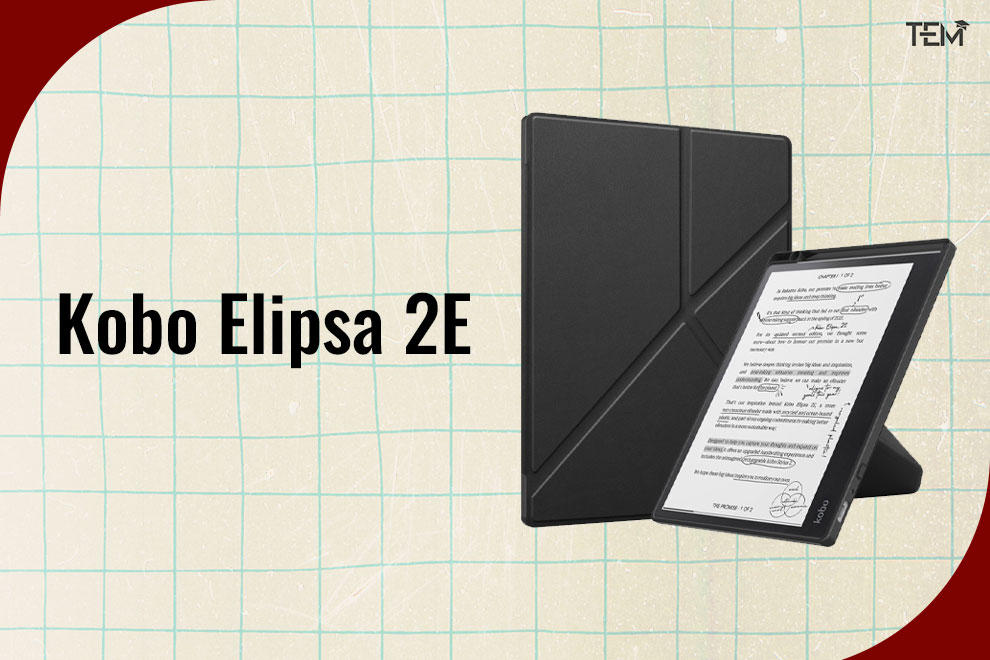
5. Kobo Elipsa 2E
Best Hybrid for eBooks and Academic PDFs
The Kobo Elipsa 2E balances reading and light note-taking. It is simple, readable, and well-suited for textbook-based learning.
Why it matters:
Many students need a reliable reading device first, with annotation as a secondary function. Kobo fits this use case well.
Key strengths:
- Strong EPUB and PDF support
- Clear, readable E-Ink display
- Integrated bookstore for academic and general reading
- Simple interface
Best suited for: Students who read a lot, occasional annotators
Not ideal for: Heavy writing, creative note-making
6. iPad Air / iPad Pro (2025–26 Models)
Best for Creativity and Multitasking
iPads are powerful tools, but they are not designed to protect attention. Their value comes from software, not focus.
Reality in 2026
- Excellent pen responsiveness
- Strong apps for notes, design, and teaching
- Short battery life compared to E-Ink devices
- High distraction risk from notifications and apps
Best suited for: Designers, educators, multidisciplinary learners
Not ideal for: Long reading sessions, distraction-free study
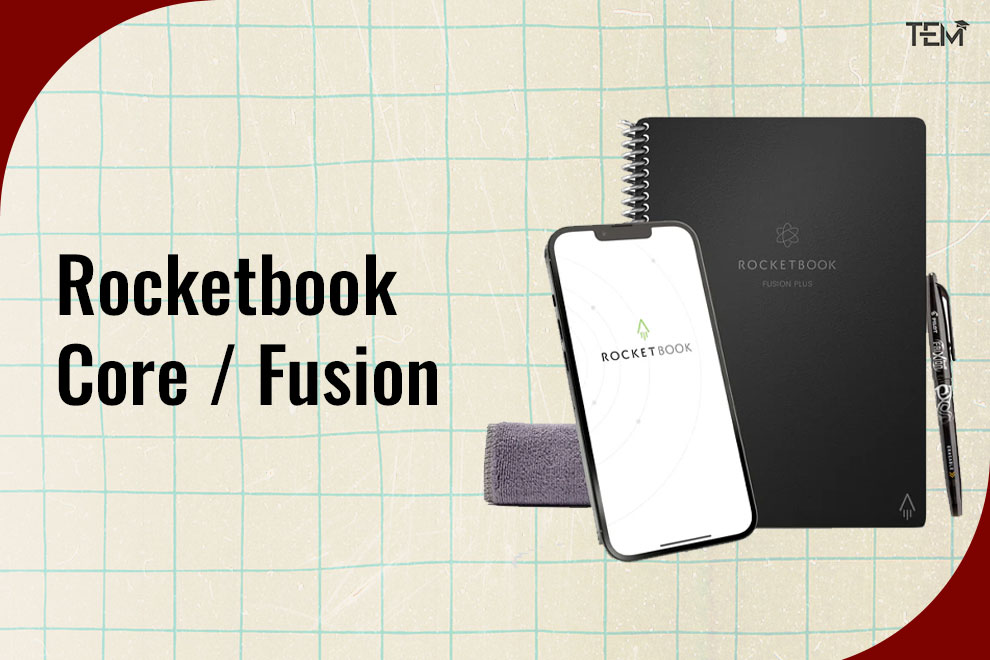
7. Rocketbook Core / Fusion
Best Reusable Smart Notebook
Rocketbook offers a simple way to digitize handwritten notes without screens.
Why it still matters:
- No charging required
- Reusable pages reduce paper waste
- Notes can be scanned and stored digitally
Best suited for: Students, teachers, planners
Not ideal for: Real-time digital annotation, editing, or revising notes on-device
8. Moleskine Smart Writing Set
Best Premium Paper-to-Digital Experience
Moleskine combines traditional paper with digital storage.
Key strengths:
- Authentic paper feel
- Elegant design
- Reliable digital capture
Limitations:
- Slower than screen-based notebooks
- Higher cost for limited functionality
Best suited for: Users who value design and handwriting, light digital archiving needs
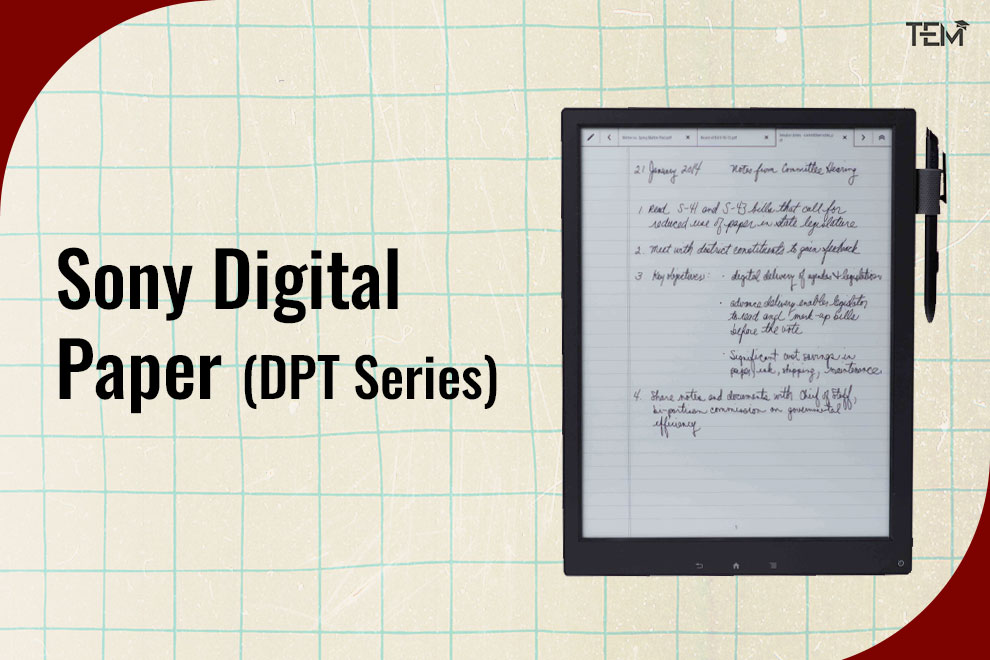
9. Sony Digital Paper (DPT Series)
Best for Professional PDF Workflows
Sony Digital Paper devices focus on large-format document handling.
Best suited for: Researchers, legal professionals, document reviewers
Not ideal for: Casual note-taking, creative work
10. XP-Pen Magic Note Pad
Best Budget-Friendly Smart Writing Device
XP-Pen offers an entry-level option for users new to digital writing.
Best suited for: Students, first-time users
Not ideal for: Advanced academic workflows, long-term research systems
Digital Notebook vs Tablet vs Paper: Which Is Better for Learning?
Choosing the right tool depends on how you think, study, and work. Each option serves a different purpose.
| Device Type | Best For | Key Strengths | Limitations |
| Digital Notebook | Focused writing and learning | Paper-like writing, long battery life, low distraction | Limited apps and media |
| Tablet | Creativity and multitasking | Powerful apps, flexible workflows | Short battery life, high distraction |
| Paper Notebook | Simplicity | No charging, familiar feel | No search, no backup, paper waste |
Key Insight: Digital note-taking devices sit between paper and tablets. They support deep focus without cutting users off from digital storage and search.
Top Note-Taking Device Features That Actually Matter in 2026
Not every feature improves learning. The devices that last are those that solve real problems clearly.
- Writing Feel and Pen Response
- Natural pen movement with low delay
- Comfortable surface for long writing sessions
- Clear stroke visibility without eye strain
- Battery Life
- Devices that last days or weeks
- Reliable for exams, travel, and long study cycles
- File Support and Export
- Smooth handling of PDFs and documents
- Easy export without locking users into one system
- Organization and Search
- Folders, tags, and handwriting search
- Quick access to older notes for revision
- Software Stability
- Regular updates
- No forced subscriptions for basic use
Common Digital Notebook Buying Mistakes Students and Professionals Make
Many buyers choose based on features instead of needs. These are the most common errors:
- Choosing a tablet when the focus is on the real goal
- Paying for advanced features that go unused
- Ignoring long-term software support
- Underestimating writing surface quality
- Choosing design over durability
Avoiding these mistakes often matters more than choosing the newest model.
The Future of Digital Notebooks
Paper-like writing devices are evolving into long-term thinking tools.
Studies in interactive note-taking research highlight how structured digital note-taking improves comprehension, retention, and cognitive efficiency over time.
In 2026, they will become:
- Learning companions for structured education
- Personal knowledge archives
- Creative spaces for idea development
- Sustainable alternatives to paper
The most successful devices focus on clarity, attention, and reliability, not constant upgrades.
Which Digital Notebook Is Right for You? My Recommendations
There is no single best digital notebook. The right choice depends on how you learn and work.
- For deep focus and structured study: reMarkable Paper Pro or Supernote A5 X2
- For reading-heavy academic work: Kindle Scribe (Colorsoft)
- For flexible, multi-format workflows: BOOX Note Air5 C
- For creative and teaching needs: iPad Air or iPad Pro
- For eco-conscious note-taking: Rocketbook Core or Moleskine Smart Writing Set
The goal is not more features, but better thinking.
What matters most is not how advanced the device appears, but how effectively it supports thinking, learning, and long-term productivity.
Smart note-taking devices in 2026 are no longer accessories; they are essential tools for cognitive work. Choosing the right one can transform how you capture ideas, revise concepts, and retain knowledge over time.
If this guide helped clarify your choice, share it with fellow learners, educators, and professionals exploring smarter ways to write, read, and think.
FAQs
1. Are smart note-taking devices worth it in 2026?
Yes. Digital notebooks help reduce paper use, improve organization, and enhance focus for students, educators, and professionals.
2. Which digital notebook is best for students?
reMarkable Paper Pro, Supernote A5 X2, and Kindle Scribe (Colorsoft) are among the best due to long battery life, distraction-free design, and strong annotation tools.
3. Is a dedicated note-taking device better than a tablet?
For focused note-taking and reading, digital notebooks outperform tablets. Tablets are better suited for multitasking, apps, and media consumption.
4. Can digital notebooks convert handwriting to text?
Yes. Devices like reMarkable, Supernote, BOOX, and iPad (with compatible apps) support handwriting-to-text conversion, though accuracy varies by device and writing style.