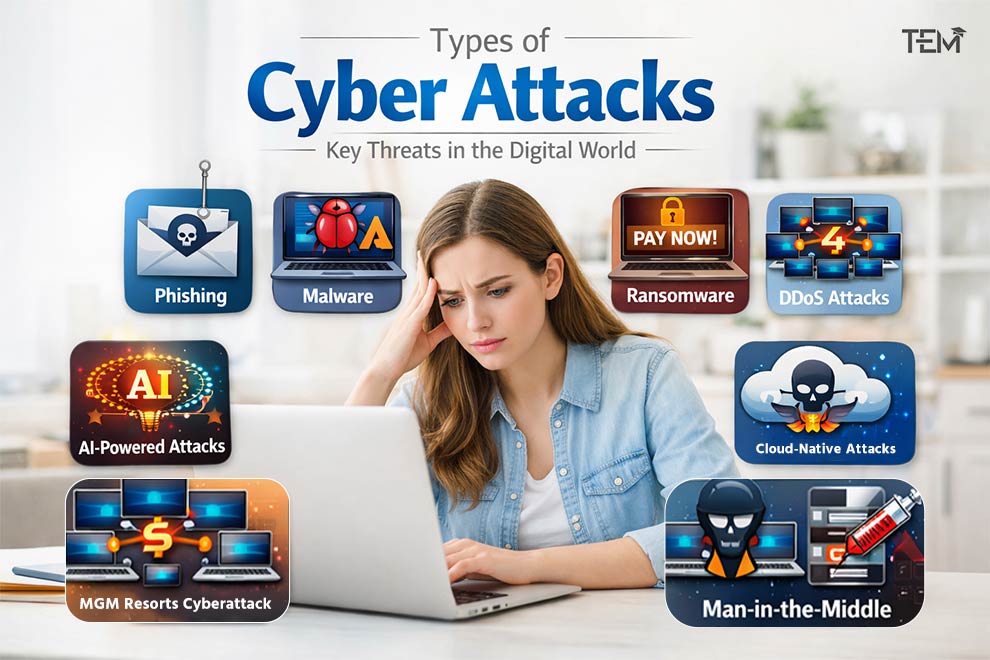
In early 2025, a quiet Maryland suburb became the epicenter of a new digital nightmare. An athletic director at Pikesville High School used a cheap generative artificial intelligence (AI) tool to clone his principal’s voice. He fabricated an audio recording of the principal making highly offensive remarks sending it to social media. Within hours, the school was flooded with angry calls, police were sent to protect the principal’s home, and a dedicated educator was placed on leave.
It took investigators three months to prove the recording was an AI fake. The athletic director was eventually jailed, but the damage was done. This case is a stark warning: cyber threats are no longer just an IT headache. They have real, devastating consequences that impact the lives of teachers, parents, and students every single day.
What are Cyber Attacks in Education?
Cyber attacks in education are malicious attempts to steal sensitive data, disrupt learning systems, or compromise infrastructure across K-12 and higher education environments. Common attacks include phishing, ransomware, credential theft, and AI-powered scams targeting students, teachers, and institutions to exploit valuable personal records and academic databases.
Table of contents
- What are Cyber Attacks in Education?
- Why Educational Institutions Are Prime Targets
- Cyber Attack Trends in Education (2025–2026)
- 17 Common Cyber Attacks Affecting Schools and Universities
- 1. Phishing
- 2. Spear Phishing
- 3. AI-Powered Phishing
- 4. Malware
- 5. Ransomware
- 6. DDoS (Distributed Denial of Service)
- 7. Credential Stuffing
- 8. Password Attacks
- 9. SQL Injection (SQLi)
- 10. Insider Threats
- 11. Cloud Attacks
- 12. Supply Chain Attacks
- 13. Zero-Day Exploits
- 14. Business Email Compromise (BEC)
- 15. Deepfake Attacks
- 16. QR Code Phishing (Quishing)
- 17. IoT Attacks on Smart Campuses
- Education Cyber Risk Matrix
- Real Cyber Attack Case Studies in Education
- How AI is Reshaping Education Security
- Checklists: Actionable Protection for Everyone
- Conclusion
- FAQ
Why Educational Institutions Are Prime Targets
By late 2025, schools and colleges were absorbing the heaviest cyberattack load of any industry worldwide, averaging 4,656 attacks per organization each week. Security experts call educational institutions “target-rich, cyber-poor”. They hold massive treasure troves of personal data but operate on highly limited budgets.
The Core Vulnerabilities:
- The Identity Goldmine: School databases hold millions of Social Security numbers, medical histories, and parents’ financial profiles. Because minor credit reports are rarely monitored, hackers highly value student data for long-term identity theft.
- The Device Explosion: Campus networks must support thousands of unmanaged personal laptops and phones, a practice known as Bring Your Own Device (BYOD).
- The Complex Cloud Network: Modern education relies on decentralized Cloud Learning Management Systems (LMS) like Canvas, creating single points of failure.
- Severely Constrained Budgets: Roughly 61% of public school systems must fund cybersecurity out of general operating budgets rather than dedicated IT funds, leaving teams understaffed.
[External Web Services & Cloud Apps]
│
▼
[School Network]
│
┌────────┴────────┐
▼ ▼
[Teachers] [Students]
│ │
└────────┬────────┘
▼
[Hackers]
Schools are heavily targeted because they store valuable personal data but lack the massive IT budgets of corporate enterprises.
Cyber Attack Trends in Education (2025–2026)
- Five years ago, spotting a scam was simple: look for bad grammar, awkward phrasing, and weird email addresses. Today, those old rules are obsolete. Attackers now use advanced AI tools to write flawless, grammatically perfect emails that mirror the exact writing style of your school principal or district superintendent.
- Ransomware has also evolved into a highly aggressive extortion model. Instead of just locking computer screens, hackers steal student disciplinary files, special education documents, and gradebooks, threatening to post them on public websites if the school refuses to pay. Furthermore, hackers are bypassing traditional email filters entirely by embedding malicious links inside QR codes, a tactic known as quishing, which students and staff scan on their personal phones.
- AI Overview Takeaway: Modern hackers rely on AI to craft perfect phishing emails and use data-theft extortion, making basic backups alone insufficient for defense.
17 Common Cyber Attacks Affecting Schools and Universities
To protect your school, you must first recognize the threats. Here is what security experts are seeing across classrooms and campuses in 2026:
1. Phishing
Mass-blast deceptive emails pretending to be trusted services (like Google Drive) to steal logins.
- Vulnerability: Busy students and teachers scanning emails quickly on their phones.
- Plain-English Solution: Set up warning banners on all emails arriving from outside the school’s domain.
2. Spear Phishing
A highly personalized email targeting a specific individual, using details from the school’s public directory.
- Vulnerability: Publicly posted staff directory lists.
- Plain-English Solution: Deliver specific training to financial and administrative staff.
3. AI-Powered Phishing
Scams written by AI that contain zero typos, designed to mimic school administrators or financial aid officers.
- Vulnerability: Natural, polished phrasing that easily bypasses human skepticism.
- Plain-English Solution: Move beyond simple passwords to hardware security keys.
4. Malware
Harmful software, such as spyware or password-stealers, is designed to infect a computer.
- Vulnerability: Students plugging in infected USB flash drives to print schoolwork.
- Plain-English Solution: Disable USB automatic-run settings in computer labs.
5. Ransomware
Ransomware is malicious software that encrypts (locks) a school’s computer files, rendering them completely unusable. Attackers then demand money in exchange for the key to unlock the data.
- Vulnerability: Outdated software and weak network boundaries.
- Plain-English Solution: Store critical backups in an isolated, offline location.
6. DDoS (Distributed Denial of Service)
Flooding a school website or exam portal with fake web traffic to knock it offline.
- Vulnerability: Students are hiring cheap bot networks online to cancel testing windows
- Plain-English Solution: Route login pages through cloud-based filtering tools.
7. Credential Stuffing
An automated attack where hackers use usernames and passwords leaked from other corporate breaches to break into school accounts.
- Vulnerability: High rates of password reuse among students across multiple platforms.
- Plain-English Solution: Mandate multi-factor authentication (MFA)—a process requiring a code from your phone alongside your password.
8. Password Attacks
Systems automatically guess common passwords like Welcome2026! or use default structures matching student ID numbers.
- Vulnerability: Predictable default credentials assigned at the beginning of the school year.
- Plain-English Solution: Forbid the use of easily guessed, sequential passwords.
9. SQL Injection (SQLi)
Injecting database code into standard text boxes (like a login or contact form) to force the backend system to leak student records.
- Vulnerability: Unpatched, custom-built department web portals.
- Plain-English Solution: Ensure web developers use parameterized queries (built-in input sanitizing).
10. Insider Threats
Accidental or intentional security slips caused by students, faculty, or vendors.
- Vulnerability: Open, collaborative sharing environments.
- Plain-English Solution: Keep student internet traffic isolated from administrative databases.
11. Cloud Attacks
Exploiting weak configurations in school cloud systems to access shared storage folders.
- Vulnerability: Exposed administrative access keys published on public code repositories.
- Plain-English Solution: Enforce conditional access rules that check a user’s location and device safety before letting them log in.
12. Supply Chain Attacks
Breaching a third-party EdTech partner to steal data from the schools utilizing their services.
- Vulnerability: Interconnected databases and shared OAuth scopes (permissions granted to external apps).
- Plain-English Solution: Conduct annual security reviews for all third-party vendors.
13. Zero-Day Exploits
Attacks target software flaws that are entirely unknown to the manufacturer, leaving zero days for defense.
- Vulnerability: Sluggish software patching cycles due to overstretched IT staff.
- Plain-English Solution: Implement network segmentation, breaking your network into isolated security zones so a hacker who breaks into one part cannot reach the rest.
14. Business Email Compromise (BEC)
Scammers impersonating high-level executives or construction partners to divert school funds into fake bank accounts.
- Vulnerability: Manual invoicing and lack of verify-by-phone rules.
- Plain-English Solution: Mandate that two separate managers approve any transfer of school funds.
15. Deepfake Attacks
Using AI to mimic the face or voice of a teacher, principal, or student to humiliate them or steal funds.
- Vulnerability: High online visibility of campus leaders and students.
- Plain-English Solution: Establish an official, verified channel for reporting school crises.
16. QR Code Phishing (Quishing)
Placing malicious QR code stickers over campus fliers to redirect mobile scanners to fake login forms.
- Vulnerability: Natural, everyday trust in scanning QR codes.
- Plain-English Solution: Train users to check the preview link on their phones before loading the page.
17. IoT Attacks on Smart Campuses
Infiltrating unpatched Internet of Things (IoT) hardware, like campus cameras, smart lighting, or building thermostats.
- Vulnerability: Leaving thousands of connected devices set to their factory-default passwords.
- Plain-English Solution: Force a password change on all connected hardware upon installation.
Schools must protect identities first. Weak passwords, unpatched personal devices, and unvetted third-party apps are the top ways hackers get in.
Education Cyber Risk Matrix
| School Asset | Threat Likelihood | Impact Severity | Recommended Protection | School Asset |
| Student Records | 🔴 High | 🔴 Critical | Phishing-resistant MFA & Encryption | Student Records |
| LMS (Canvas, etc.) | 🔴 High | 🔴 High | API reviews & Session monitoring | LMS (Canvas, etc.) |
| Faculty Email | 🔴 High | 🟡 High | External warnings & External DMARC | Faculty Email |
| Smart Campus IoT | 🟡 Medium | 🟡 High | Isolated VLAN segmentation | Smart Campus IoT |
| Research Servers | 🟡 Medium | 🔴 Critical | Zero-trust access controls | Research Servers |
| School Asset | Threat Likelihood | Impact Severity | Recommended Protection | School Asset |
| Student Records | 🔴 High | 🔴 Critical | Phishing-resistant MFA & Encryption | Student Records |
| LMS (Canvas, etc.) | 🔴 High | 🔴 High | API reviews & Session monitoring | LMS (Canvas, etc.) |
Real Cyber Attack Case Studies in Education
1. K-12: The Los Angeles Unified School District Breach
- The Incident: In September 2022, the Vice Society cybercriminal group hit the nation’s second-largest public school system.
- How They Got In: Attackers exploited weak password structures and unpatched servers.
- The Real Impact: Over 500GB of private data was leaked online, including student psychological reports, academic records, and employee health files.
- The Lesson: K-12 schools must treat student data exposure as highly plausible, continuously testing their active directory controls.
2. Higher Ed: Sapienza University of Rome Ransomware
- The Incident: In February 2026, one of Europe’s largest universities was paralyzed by a major ransomware attack.
- How They Got In: Attackers used a combination of unpatched remote-access portals and targeted email phishing.
- The Real Impact: Core portals were down for three days. Hackers displayed a 72-hour countdown clock on the university homepage, threatening to release student files if a ransom was not paid.
- The Lesson: Higher-ed networks require strict internal segmentation to prevent a minor breach on one server from reaching central student databases.
3. EdTech: The Massive May 2026 Canvas LMS Breach
- The Incident: The cybercriminal gang ShinyHunters breached Instructure, the parent company of the market-leading Canvas platform.
- How They Got In: Attackers exploited vulnerabilities inside “Free-For-Teacher” accounts, escalating their access to administrative levels.
- The Real Impact: Hackers exfiltrated 3.65 TB of user records, affecting an estimated 275 million students and teachers across 8,809 institutions. Hackers defaced campus login screens with ransom messages right during final exam periods. Instructure paid a ransom on May 11 to confirm the data was destroyed.
- The Lesson: Schools inherit substantial security risk from the external software they rely on. It is critical to enforce multi-factor authentication across all account types.
[Attacker Exploits Free Account Tier]
│
▼
[Escalates to Admin Rights]
│
▼
[Exfiltrates 3.65 TB of PII]
│
▼
[Defaces Campus Login Portals]
The historic Canvas breach shows that third-party software integrations can instantly compromise millions of student records globally in a single event.
How AI is Reshaping Education Security
Artificial intelligence is active on both sides of the education security battle.
The Dark Side of AI
Scammers use AI voice-cloning to clone a target’s specific timbre—the unique, warm acoustic pattern that lets us recognize a loved one’s voice—using under 10 seconds of audio.
[Attacker steals 10s voice clip from social media]
│
▼
[AI Clones Vocal Timbre]
│
▼
[Urgent call mimics principal/child]
Furthermore, studies show dialect bias (known as the MINDSET concept) makes users trust AI systems that mimic regional accents, leading to a high success rate for targeted scams.
The Defensive Shield
Fortunately, schools are deploying AI to run smart SecOps (Security Operations) systems. These automated tools monitor network baselines, immediately flagging and blocking a user who attempts to download a million student records at 2:00 AM.
Checklists: Actionable Protection for Everyone
To build a true cybersecurity culture on campus, security must be integrated into everyday workflows. Consider enrolling in structured Cybersecurity Courses or a practical Cybersecurity Bootcamp to dive deeper into defense strategies.
For Teachers
- No Password Sharing: Never share your grading or attendance portal logins with student assistants.
- Verify Unexpected Requests: If you receive an urgent email from your principal asking for gift cards or private documents, pick up the phone and call them directly to confirm.
- Learn the Red Flags: Take classes in AI in Education to understand how to spot AI-generated student work or falsified emails.
For Students
- Stop Password Reuse: Never use your university login password on personal social media or gaming sites.
- Be Skeptical of “Freebies”: Avoid clicking fake scholarship links or downloading unverified study-aid browser extensions.
- Explore Ethical Hacking: Learn the basics of Ethical Hacking to help identify and report vulnerabilities rather than exploiting them.
For Parents
- Establish a Family Safe Word: Create a secret family keyword to quickly verify emergency voice-cloning scams.
- Use Parent Controls on Chromebooks: Ensure school-issued devices are enrolled in active monitoring profiles to block unsafe sites.
- Educate on Student Data Privacy: Understand how Student Data Privacy laws protect your child’s academic records.
For IT Administrators
- [ ] Enforce Phishing-Resistant MFA: Replace weak SMS codes with WebAuthn/FIDO2 keys.
- [ ] Clean Your Directory: Run monthly automated sweeps to delete inactive student and contractor accounts.
- [ ] Block Bookmarklet Code Injections: Block javascript://* in your Google Admin console to stop students from bypassing filters on managed Chromebooks.
- [ ] Segment the Network: Isolate student Wi-Fi networks from central administration databases.
- [ ] Establish AI Guidelines: Set rules to enforce AI Academic Integrity and monitor how AI is deployed.
Cybersecurity is a team sport. Real safety requires teachers, parents, students, and IT staff to practice solid digital hygiene together.
Conclusion
The cyber threat landscape facing schools in 2026 is fundamentally different from what it was just a few years ago. Driven by powerful generative AI, hackers can now easily clone familiar voices and draft flawless, highly targeted scams at a scale never seen before. As schools increasingly rely on centralized SaaS platforms, a single vendor security flaw can instantly compromise millions of student records globally.
To protect our learning spaces, we must transition from simple perimeter defenses to a mindset of resilience and shared responsibility. By implementing strong, modern security protocols like network segmentation and phishing-resistant MFA and building a true culture of security awareness, we can safely navigate this AI-driven era and keep the focus where it belongs: on education.
FAQ
What is the biggest cyber threat facing schools?
Ransomware paired with data extortion is the most destructive threat. Hackers steal sensitive records and threaten to leak them unless paid, causing massive learning disruptions.
Why are universities targeted so often?
Universities are prime targets because they operate highly decentralized networks, manage large financial tuition streams, and house valuable research databases.
What is the difference between phishing and spear phishing?
Phishing consists of generic, mass-blast emails sent to thousands of random accounts. Spear phishing is highly targeted, customized with details specific to the recipient to make the scam highly believable.
Can students bypass school web filters?
Yes. Students frequently use “tab flooding” or JavaScript bookmarklet code injections to crash web-filtering extensions on school Chromebooks.